
Webinar
A Developer’s Guide to MSIX: Hear from the Authors
Learn how to migrate legacy installers to MSIX. Hear from experts on packaging, deployment, and the future of Windows app installation.
Original Air Date: February 8, 2022
Overview
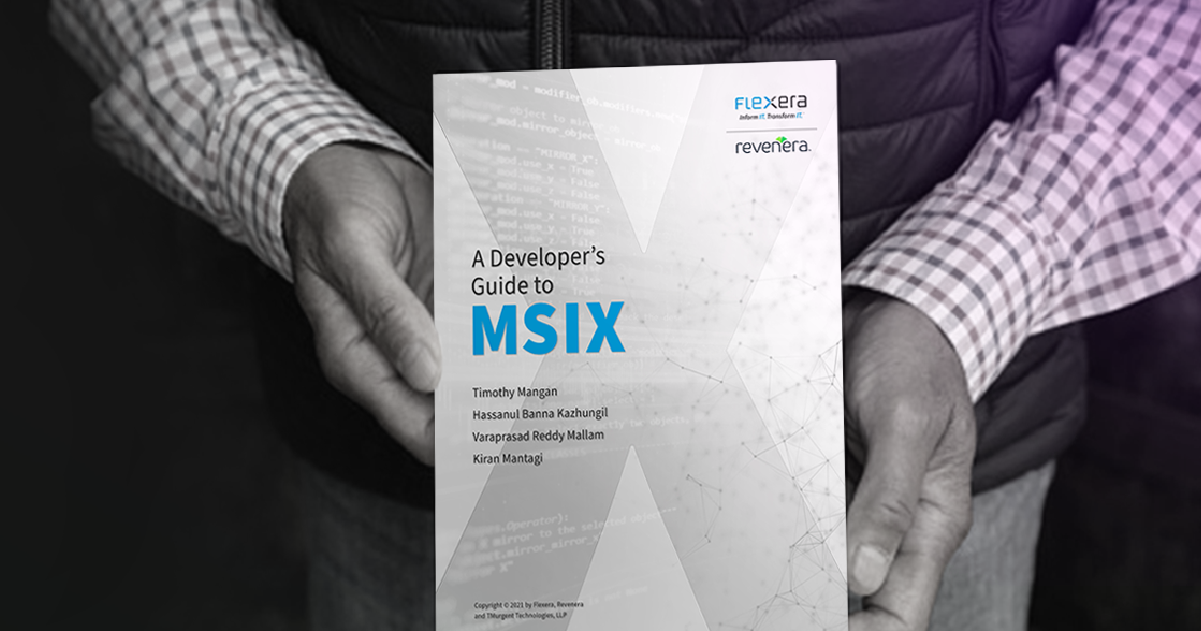
Ready to future-proof your software installations? Join us for an exclusive webinar featuring the authors of A Developer’s Guide to MSIX, including renowned application packaging expert Tim Mangan.
This session dives deep into Microsoft’s modern deployment technology—MSIX—and why it’s poised to become the new standard for Windows application packaging.
Whether you're a software vendor with legacy MSI or EXE installers, or a developer planning your next release, this webinar delivers actionable insights on how to assess your current setup, navigate the migration process, and unlock the benefits of containerized deployment. Learn how MSIX simplifies updates, enhances security, and reduces support overhead by isolating your apps from system-level conflicts.
Discover how to handle complex scenarios like COM components, Windows services, file associations, and first-run configurations using MSIX extensions and the Package Support Framework. Hear real-world experiences from the engineering team behind the book, and get clarity on common challenges like signing, user vs. machine installs, and context menu support.
Don’t miss this opportunity to gain expert guidance and practical strategies that will help you deliver cleaner, more reliable installations—and stay ahead of the curve in a rapidly evolving Windows ecosystem.
Recap
Key Themes and Takeaways
The Evolution and Importance of MSIX
MSIX is positioned as a generational leap in Windows application deployment—comparable to past shifts like the move from DOS to Windows or unmanaged code to .NET. Its containerized architecture isolates applications from system-level interference, reducing support calls and improving reliability. MSIX is not just a new format; it’s a strategic investment in the future of software delivery on Windows.
Who the Book is For: Developers and IT Professionals
Although titled *A Developer’s Guide to MSIX*, the content is equally valuable for IT professionals and application packaging engineers. It offers deep insights into MSIX’s manifest structure, component handling, and migration strategies, making it a practical resource for anyone involved in software deployment or enterprise packaging.
Migration Strategies for Legacy Installers
The webinar explores how to assess existing MSI or EXE installers and plan a smooth transition to MSIX. It covers evaluating installer functionality, handling file associations, COM components, services, and other legacy elements using MSIX extensions. Guidance is provided on managing application content and dependencies, even without modifying source code.
Security and Reliability Benefits
MSIX introduces built-in security advantages such as digital signing and containerization. These features prevent external modifications to packaged software and reduce the risk of system-wide issues. The technology aligns with modern enterprise security requirements and simplifies troubleshooting by isolating application faults.
Handling Custom Actions and Configuration
MSIX does not support traditional custom actions, a deliberate decision to ensure clean uninstalls and reduce system residue. Instead, developers can use PowerShell scripting or the Package Support Framework (PSF) to handle first-run configurations and dynamic setup needs, preserving flexibility while improving system hygiene.
Per-User vs. Machine-Level Installations
MSIX defaults to per-user installations, which simplifies deployment and avoids the need for elevated privileges. However, it also supports services through native installation with elevation and offers pre-provisioned installs that make applications available to all users on a machine—providing flexibility for enterprise scenarios.
COM Component Support in MSIX
MSIX handles COM components based on how they are bundled and accessed. Internal components require no special configuration, while externally exposed components must be declared using COM extensions in the manifest. The webinar outlines how to map traditional MSI COM registration to MSIX-compatible formats and addresses tooling limitations.
Context Menu Integration and Shell Extensions
Migrating context menus, especially those created dynamically via shell extension DLLs, presents challenges. MSIX requires explicit manifest declarations using extensions like `windows.fileExplorerContextMenus` and `comServer`. The session provides guidance on registering these components correctly to preserve user experience.
Real-World Use Cases and Enterprise Packaging Challenges
Common hurdles in enterprise packaging include signing requirements, service support, and driver limitations. While MSIX is still evolving, Microsoft continues to address gaps, making it increasingly viable for complex enterprise applications. The webinar offers practical solutions and workarounds for these challenges.
Preparing for the Future of Windows Deployment
Even for organizations not yet ready to adopt MSIX, understanding its architecture and preparing for migration is essential. The webinar provides a roadmap for evaluating current packages, identifying potential blockers, and planning a future-proof deployment strategy. With major vendors already adopting MSIX, the shift is well underway.
Speakers

Tim Mangan
President
Virtualization Boston

Kiran Mantagi
Sr Product Manager
Flexera

Venkat Ram Donga
Director, Product Management
Revenera

Hassanul Banna Kazhungil
Software Engineer
Revenera

Varaprasad Reddy Mallam
Senior Engineering Manager
Revenera
Frequently Asked Questions
MSIX is Microsoft’s modern packaging format for Windows applications, designed to replace older technologies like MSI and EXE. It offers a containerized deployment model that improves reliability, simplifies updates, and enhances security. By isolating applications from the system, MSIX reduces support issues caused by external interference. Software vendors benefit from cleaner installs, easier maintenance, and future-proof compatibility with Windows platforms.
MSIX packages are digitally signed and run in a secure container, preventing unauthorized modifications and reducing the risk of system-wide issues. This isolation ensures that if an application fails, it doesn’t affect other software or the operating system. The format also supports modern security practices like per-user installs and controlled access to system resources. These features make MSIX a strong choice for vendors prioritizing secure software delivery.
Yes, MSIX supports migration from legacy installers, and the process can be guided using tools and frameworks like the Package Support Framework. The transition involves assessing your current installer’s functionality—such as services, COM components, and file associations—and mapping them to MSIX equivalents. While some adjustments may be needed, especially for custom actions or dynamic configurations, the migration is achievable and well-documented.
MSIX currently does not support certain features like driver installations and some advanced custom actions. However, many enterprise needs—such as services, COM registration, and context menus—are supported through manifest extensions and scripting workarounds. Microsoft continues to evolve the format, and many limitations have already been addressed. For most enterprise applications, MSIX is a viable and increasingly robust option.
MSIX is primarily designed for per-user installations, which simplifies deployment and avoids the need for administrative privileges. However, it supports services and pre-provisioned installs that allow applications to be available system-wide. This hybrid approach gives software producers flexibility to meet both user-specific and enterprise-wide deployment needs without compromising security or manageability.
MSIX does not support traditional custom actions to ensure clean and predictable uninstalls. Instead, developers can use PowerShell scripts or the Package Support Framework to replicate custom logic during first-run configurations. This approach maintains flexibility while aligning with MSIX’s goal of reducing system residue and improving reliability. It’s a shift in methodology that supports modern deployment best practices.
Several tools exist to assist with MSIX conversion, including AdminStudio and Microsoft’s MSIX Packaging Tool. These tools help analyze existing MSI or EXE installers, identify components like services and registry entries, and generate MSIX packages with appropriate manifest configurations. They also support signing and testing, making the transition smoother for software vendors.
MSIX supports COM components through manifest declarations and extensions like comServer. Internal components work seamlessly, while externally exposed components require explicit configuration. Shell extensions, such as context menu handlers, can be registered using specific MSIX extensions. While dynamic registration is more complex, the format provides mechanisms to preserve functionality across most use cases.
MSIX simplifies updates by allowing seamless versioning and automatic replacement of older packages. Its containerized model ensures that updates don’t interfere with other applications or system settings. This reduces support overhead and improves user experience. Software vendors can deliver updates more reliably and with fewer compatibility issues.
Yes, MSIX can support complex configurations using first-run scripting and modification packages. While it doesn’t allow custom installation wizards, developers can include configuration logic that runs when the application is first launched. This enables dynamic setup based on user input or environment variables, making MSIX flexible enough for a wide range of deployment scenarios.
Resources
Data Sheet
InstallShield 2025
Build Seamlessly in the Cloud with InstallShield Licensing Capabilities
Data Sheet
Compare InstallShield Versions
Compare features by the latest releases.
Webinar
Enabling Successful Software Installs with New Digital Signing Standards
Register for the upcoming webinar and be better equipped you with the knowledge and tools necessary to navigate changes to digital signing standards effectively for a seamless installation experience.
Data Sheet
Cloud License Server with InstallShield
Get your questions answered about how to eliminate the time and effort required to set up and manage local License Servers. Easily configure your builds from the DevOps build pipeline with InstallShield’s Cloud License Server.
Online Event
“Unpacking MSIX”: Panel Discussion
Watch this roundtable discussion to learn more about how developers can retain as much code as possible as they continue to innovate and modernize applications.
Webinar
TechTalk: InstallShield “Suite” Secrets
In this TechTalk you’ll learn about Suite, a project type within InstallShield, and how it resolves the problem of installing multiple packages, learn how Windows features in Suite works, and how secure it is to send packages via an installer.
Want to learn more?
Whether you are an existing customer needing assistance, or new to Revenera's Software Installation solutions, we are happy to help out with your Installation needs.